Last month, I finally picked up my copy of House of Leaves and read it fully within a week. The rabbit hole I am soon to describe is slightly related to House of Leaves, though I will not talk about it since I don't think I could really do it justice. Instead, I'd like to talk about a Doom game modification called MyHouse.wad.
I started the recent process of dusting off my old Rust projects and trying to spruce them up, doing various changes or version bumping for the compilers. I found my old project waddler, a Rust project to export Doom game data, and started working on it. And I felt I had the perfect thing to try it out on.
The Beginning
In 2023, a now infamous Doom WAD was uploaded to the internet, and it eventually made internet waves with a video by a YouTuber called "MyHouse.WAD - Inside Doom's Most Terrifying Mod". I recommend watching it if you haven't, it's a fantastic video deep-dive.
The WAD itself is a complex piece of work, that had seemingly been made in secret by many people, and breaks some of the traditions about Doom's original engine. It does this by only being playable in non-traditional Doom source ports, mainly because the map makes use of portals. Because of portals, the map itself seems to have sections of the map on top of one another, which is not possible in classic Doom.
The game itself, without going into too much detail, is a sort of spin on the story of House of Leaves into video game format. There's some story-telling that goes beyond House of Leaves and makes it into it's own tale, but for the most part, anyone familiar with House of Leaves should directly pick up on what is actually happening in MyHouse.wad.
MyHouse.wad has a lot of complicated map design with its use of portals, and no visible automap can be seen in game. When I initially watched the video, picked up MyHouse.wad and played around with, I didn't think too much else beyond how awesome it was that something like this existed and had so much love and passion poured into it. Seeing how it was based on House of Leaves even made me want to read it. I eventually got a physical copy of it, and I waited far too long to start reading it.
Once I picked it up and finished it last month, I still had some House on the brain, and it lead me back to MyHouse.wad. I wanted to go in and extract the maps from MyHouse.wad for fun.
The Code
Going back to waddler, I wanted to debug MyHouse.wad for fun and see if I couldn't export it's map data to share it with friends. Surely it can't be too hard, right?
To get to where I wanted, which was to export maps of levels, there isn't too much involved. The main concept of a WAD is that it is a binary-encoded blob of data that keeps an index table of where things are, called Lumps. A lump is a bookmark type object that tells you where data lives, and where you can find it in a data pool. The WAD, at the top of the file, tells you where to find lumps, and where the data pool is. A WAD has to have some properties to tell you if it's an IWAD (an id Software original WAD), or a PWAD (a player-made WAD). In order for a game to be playable, it has to have an IWAD primarily, so PWADs are made on top of IWADs and can replace levels and assets entirely.
The first step is to create a basic data type to parse header information from the WAD, so I created two struct types to get me going: a Wad and a WadHeader, seen here in action. Upon opening a file as an array of bytes, Rust can select slices of it as in-memory views and hand it off to various functions without ownership changes or hard copying. Since Doom uses a Little Endian format for data, a lot of this code ends up being indexing a u8 array of bytes and doing bit-shifting math to convert it to logical data types, ie. converting four bytes into a DWORD or 32-bit unsigned integer. I have a bunch of functions for it here.
pub struct WadHeader {
    pub is_wad: bool,
    pub wadtype: u32,
    pub numlumps: usize,
    pub lumpaddr: usize,
}

pub struct Wad {
    pub name: String,
    pub header: WadHeader,
    pub lumps: Vec<Lump>,
    pub levels: Vec<Level>,
    pub is_hexen: bool,
}
Once a WadHeader is crafted, you can gather a slice of bytes and convert it to a list of Lumps by doing more byte conversions. Since Doom is heavily documented, it takes little effort to gather struct definitions off the Doom Fan Wiki to see how Doom is made and what drives it. Here's my Lump struct definition, which involves some byte search and checking to see if it is a Level lump or not. The Level type is the next step to finding geometry for each level.
pub struct Lump {
    pub name: String,
    pub posn: usize,
    pub size: usize,
    pub start: usize,
    pub end: usize,
    pub is_level: bool,
}
A Level is a data type that can contain geometry, and is the main thing we need when we want to export map visuals from a WAD. When iterating through all Lumps in a WAD, we collect any and all geometry between one Level lump to the next, as they come typically in sequential fashion. Once you reach the next Level lump, you take whatever you found and bind it together via a struct that can keep it all in memory. For my needs, I only kept Vertex and Linedef objects in memory and ignored other non-geometric data for now.
pub struct Level {
    pub name: String,
    pub vertices: Vec<Vertex>,
    pub linedefs: Vec<LineDef>,
    pub things: Vec<Thing>,
}
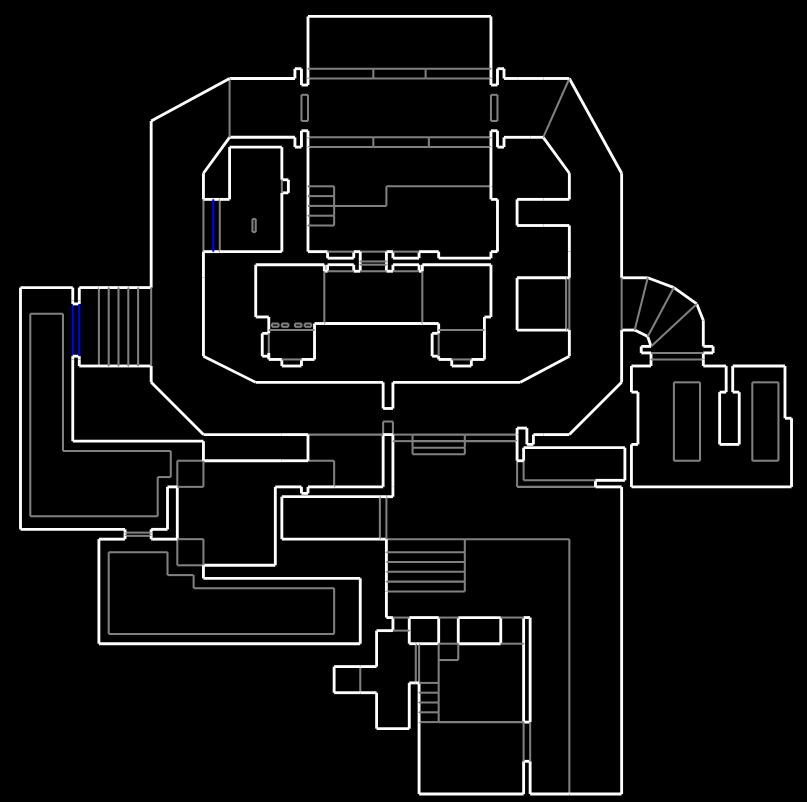
At this point, with all Levels accounted for, I can move on to printing out maps to a Scalable Vector Graphics format, meaning anyone can take it and scale it to whatever resolution they see fit, if they wanted to do something like make T-shirts from maps or something of the like. Most raster formats of graphics involve compression, and that's a bit outside the scope of my project for now. To convert a map to SVG, you just have to take each Linedef in a level, take it's two corresponding vertices, and print an XML string to an XML file buffer. I sort of over-engineered this by adding a whole SVG library that wasn't entirely super necessary, but it was a chance for me to play with generic traits. In a nutshell, the map SVG generation sort of looks like this.
pub fn level_to_file(buf: &File) {
    buf.write(svg_header);
    for linedef in &level.linedefs {
        buf.write(linedef.to_svg());
    }
    buf.write(svg_footer);
    buf.to_disk();
}
There's more to it there, but sadly this code is a little dated still. I came back to it, only years later, and had to make a number of changes for it to be compliant with the 2021 Rust compiler. It works fine still. Here is a map of MAP02 Underhalls from the original Doom 2 game.
The House
Now to get started, let's answer the immediate question: does waddler work on MyHouse.wad?
No, no it does not.
MyHouse.wad is actually not the name of the file you can download from the forum post about MyHouse.wad. What you download instead is file called myhouse.pk3, which is a ZIP archive of all the assets used. I did not quite realize this was a ZIP until I tried to use waddler on it, and it failed each and every time.
Upon downloading myhouse.pk3 and unzipping it, you get several files, and it is quite different than what I was expecting for a WAD file. As it turns out, this is an entirely different format for Doom engines to use, and it even dates almost being two decades old now. The format is called Ultimate Doom Map Format.
Now, none of my code works on this format for one simple reason: UDMF is not binary encoded, at least not all of it. A WAD still starts out as a binary blob, but almost everything in the WAD is actually plaintext, meaning a human can visibly read it instead of needing something like Little Endian to convert the bytes. Being plaintext has positives and negatives, but the positive is that it is easier to debug and extends the original engine of Doom to allow for floating-point types. The original Doom code typically only uses 16-bit signed integers, giving maps a max of 65,000 values to work with. Going to 32-bit for integers and floats adds a whole lot more range.
There's also something of a meme about Doomguy, the main character, being able to withstand falls of thousands of meters due to there being no fall damage in the original Doom game. Clearly he'll only get stronger with 32-bit types.
It took some time to sort of put everything together, but I was able to dump maps from this new UDMF format that MyHouse.wad uses. The internet attention on MyHouse.wad has long passed, but my curious nature got the best of me while I was working on waddler.
Upon unzipping myhouse.pk3, the first thing to grab my eyes is a 73MB file called house.wad sitting next to all the other files. Anything that has a *.wad extension is still a Doom WAD, but the contents are wildly different.
...
-rw-r--r-- 1 steve steve 360K Jan  8  2023 hellfish.wad
-rw-r--r-- 1 steve steve 2.8M Dec 12  2022 HF2NME.wad
-rw-r--r-- 1 steve steve  73M Apr 16  2023 house.wad
-rw-r--r-- 1 steve steve  57K Oct  2  2022 kd_smoke.wad
-rw-r--r-- 1 steve steve  814 Sep 11  2022 LANGUAGE
-rw-r--r-- 1 steve steve 2.5K Jan  7  2023 LOCKDEFS
-rw-r--r-- 1 steve steve 7.6K Apr 16  2023 MAPINFO
The only relevant parts from waddler that matter here are only a few: Wad, WadHeader and Lump are the only types needed, everything else is actually not used. Since my old types are fixed on the original Doom engine, I would need new types to account for floating-point types anyway, and I'd sooner not try to make generic type parameters on the original types made for classic Doom files.
I had to make a new program to dump some info about UDMF WADS. For that, I wrote a small program to dump the Lump values from a UDMF wad, and it gave me a better picture about the UDMF format.
fn main() {
    let mut arg_iter = args();
    arg_iter.next();

    for fname in arg_iter {
        let (wad, data) = match parse_into_both(&fname) {
            Ok((w, d)) => (w, d),
            Err(e) => panic!("Welp. {}", e),
        };

        for lump in &wad.lumps {
            println!("{:?}", lump);
            if lump.name == "TEXTMAP".to_string() {
                let txtmap = &data[lump.start..lump.end];
                let mut i = 0;
                while i < txtmap.len() {
                    print!("{}", (txtmap[i]) as char);
                    i += 1;
                }
            }
        }
    }
}
Running this on the house.wad file gave me the following output.
MAP01 <0xC .. 0xC> (0 bytes)
TEXTMAP <0xC .. 0x39E03C9> (60687293 bytes)
BEHAVIOR <0x39E03C9 .. 0x39E2115> (7500 bytes)
ZNODES <0x39E2115 .. 0x485A325> (15172112 bytes)
SCRIPTS <0x485A325 .. 0x485E901> (17884 bytes)
ENDMAP <0x485E901 .. 0x485E901> (0 bytes)
This on a normal WAD would display a large number of Lumps, but because it's a UDMF format, we only have a few. At it's core, a map in UDMF has two markers, MAPXX and ENDMAP to tell you where a map starts and ends, and the TEXTMAP slice itself which occupies most of the data. The other lumps are there for scripting or graphics purposes.
A TEXTMAP slice is, like mentioned, a plaintext representation of a Doom level. The difference here is that instead of using Lumps to store all vertices and lines, it uses a plaintext format almost akin to JSON. Data in TEXTMAP looks vaguely like this.
thing // 1
{
property1 = ...;
property2 = ...;
}

vertex // 2
{
x = 0.0;
y = 0.0;
}

linedef // 3
{
v1 = 2;
v2 = 2;
}

sector // 4 {
...
}
While this is human readable, it's not efficient to try and make a map this way, and is best left to visual editors like SLADE3 or Ultimate Doom Builder. For us to read data like this, we need a bit of a parser to read through all this text and convert it to data types we can use like we did previously.
For my UDMF map minimum viable product, I would need at a minimum all the LINEDEF and VERTEX structs inside TEXTMAP. Extending my first program, when I encounter a TEXTMAP in a WAD, that's when I can start performing data parsing. First I need to map out two new struct types for these UDMF format values.
#[derive(Debug)]
struct UVertex {
    x: f32,
    y: f32,
}
impl UVertex {
    fn new() -> UVertex {
        UVertex { x: 0.0, y: 0.0 }
    }
}

#[derive(Debug)]
struct ULinedef {
    v1: usize,
    v2: usize,
}
impl ULinedef {
    fn new() -> ULinedef {
        ULinedef { v1: 0, v2: 0 }
    }
}
The first is UVertex, a new type for UDMF vertices. Instead of i16, they now use 32-bit floating point values. I'm operating under the assumption that all the values used are 32-bit and not 64-bit. If they were 64-bit, the memory load would be much higher for a map with this much geometry.
ULinedef is different in that it uses usize types to index for two vertices. A usize is like saying a uint32_t or uint64_t, but usize is needed for indexing arrays in Rust for type safety, and may compile to to the largest integer available. I don't think house.wad has over four million vertices, so I think it's fine no matter what.
The text format of TEXTMAP needs a small parser to run through it and collect important properties about each struct type. When we encounter a line that looks like vertex // 123, we start collecting vertex properties until we reach a matching } ending bracket. We need a union data type that can contextually swap between different objects we're collecting values for.
union UParser {
    vertex: UVertex,
    linedef: ULinedef,
    // other types of objects ...
}
A union in any code base is only as good as a tag along side it to help us know what we're working on. We would need an enum type to help us know exactly what we're currently doing.
enum ParseT {
    Vertex,
    Line,
    None,
}

struct ParseD {
    tag: ParseT,
    val: UParser,
}
But here this almost feels... Dated. Why not leverage values inside variants of the enum instead of going the tagged union route?
enum PState {
    Vert(UVertex),
    Line(ULinedef),
    None,
    // others ...
}
Turns out, this is way simpler. Each variant of the PState will keep a value with it's tag, so we can better pattern match against an enum as opposed to all that sort of weird union behavior we'd have to work with.
After a few hours of tinkering, I ended on this, and got steps closer to making maps out of MyHouse.wad.
let line = buffer.next_line();
let mut pstate = PState::None;
let mut pid = 0;
let mut linedefs: HashMap<usize, ULinedef> = HashMap::new();
let mut vertices: HashMap<usize, UVertex> = HashMap::new();
let mut in_struct = false;

if line.starts_with("vertex // ") {
    pstate = PState::Vert(UVertex::new());
    pid = slice_to_usize(&line[10..line.len()]);
} else if line.starts_with("linedef") {
    pstate = PState::Line(ULinedef::new());
    pid = slice_to_usize(&line[11..line.len()]);
} else if line.starts_with("{") {
    in_struct = true;
} else if line.starts_with("}") {
    in_struct = false;
    match pstate {
        PState::Vert(v) => {
            vertices.insert(pid, v);
        }
        PState::Line(l) => {
            linedefs.insert(pid, l);
        }
        _ => {}
    }
    pstate = PState::None;
}
The parsing algorithm here is pretty simple. Our PState is our mutable state, and our scanning triggers are simply <thing> // <id>. If we find an object by it's corresponding label, we mutate pstate to become that object shape and value, then the minute we reach an open bracket, we begin scanning for values. Once we reach a closing bracket, we copy the data off pstate and into our respective data structures for holding geometry.
The next section involves scanning for details, and matches on the current pstate variable.
if in_struct {
    let lend = line.len() - 1;
    match pstate {
        PState::Vert(ref mut v) => {
            if line.starts_with("x = ") {
                let decimal = slice_to_f64(&line[4..lend]);
                if decimal > max_x {
                    max_x = decimal;
                } else if decimal < min_x {
                    min_x = decimal;
                }
                v.x = decimal;
            } else if line.starts_with("y = ") {
                let decimal = slice_to_f64(&line[4..lend]);
                if decimal > max_y {
                    max_y = decimal;
                } else if decimal < min_y {
                    min_y = decimal;
                }
                v.y = decimal;
            }
        }
        PState::Line(ref mut l) => {
            if line.starts_with("v1 = ") {
                let decimal = slice_to_usize(&line[5..lend]);
                l.v1 = decimal;
            } else if line.starts_with("v2 = ") {
                let decimal = slice_to_usize(&line[5..lend]);
                l.v2 = decimal;
            }
        }
        _ => {}
    }
}
It's a little tiring having to do exact byte matching for strings, but it's not the worst thing in the world. For each specific key of a TEXTMAP data type, you would have to run through a list of if/else statements to figure out exactly what you're looking at, and how to map it to which property of a struct, and if it has any exterior logic like with the vertices seeing what the largest X/Y values are for this given map.
With each ULinedef and UVertex made, we will put them into a HashMap collection. The HashMap is driven by a binary tree under the hood, and gives us the best chance at fast access, as opposed to a linear buffer like Vec<T> which may not guarantee the same performance as the buffer grows. I won't spend time benchmarking this, though, just need as fast as possible access to the data.
We're nearly at the finish line. Our original SVG code is not exactly easily adaptable to these new types, and would involve modifying a non-zero amount of code to get it to work, as my SVG code was not made with these new 32-bit types in mind originally. We'll have to create a new SVG printer, but that's okay.
// generalized form of the SVG printer
let buffer = File::new(format!("{}.svg", wad_name))?;
buffer.write(svg_header);

for linedef in &linedefs.items() {
    buffer.write(svg_line(linedef));
}

buffer.write(svg_footer);
buffer.close();
My first pass on this resulted in a 50,000 pixel square map, which was so large, that no program I had would be able to open it. GIMP, despite it's best efforts, would not let me open it at all. When importing it, I scaled it down to half that, around 25,000 pixels squared. Then, I was able to see the full thing in detail. Because it's so large, I can't show it or even host it here. I will share a link so you can see the full thing. Fair warning, it is 10MB in size.

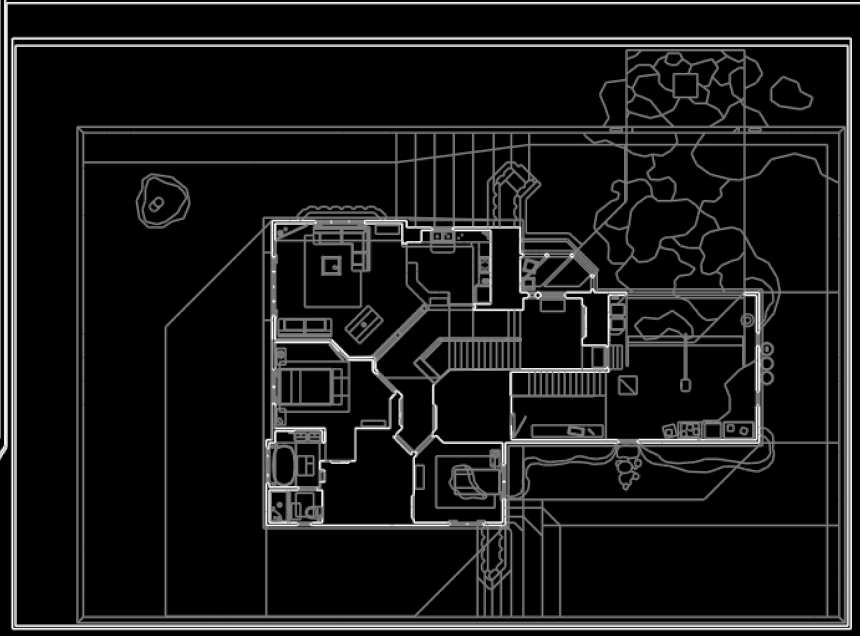
I think I can say I did a good job. It took days to get here, but I'm happy.
Exploration
In my map program, I print out exactly how many vertices and lines we ended scanning from the WAD.
Working on /home/steve/Downloads/MyHouse/house.wad...
Found textmap
Stats:
Number of vertices: 133967
Number of linedefs: 164452
Created map: /home/steve/Downloads/MyHouse/house.wad.svg
With 133,000 vertices and 164,000 lines, that's almost a 3:1 ratio for both vertices and lines per pixel in this map. That's huge. But upon opening the map, it's ... Not very occupied. In fact it's very sparse at points.
I will admit, curiosity got the better of me. Despite having seen the MyHouse.wad video only one or two times, I wanted to re-experience it for myself and perhaps explore a little bit.
To annoyingly say it again, Doom functions as a 2D geometric map projected to create a 3D space experience. However, no rooms can be on top of one another, which was a hard limitation of the Doom engine, and later solved by other FPS games like Duke Nukem with the Build Engine.
All these different map spaces exist because of how the game uses portals to connect one area to another to give off a presentation of a realistic 3D space. There are twenty or so different house because of the progression of MyHouse.wad inter-connected by portals and teleport tricks.
It had been a while since I explored the house, so I wanted to check out all these places for myself via a warp command. The map would give me coordinates that I could use to move around, so I wanted to check out some of the places to see exactly what they were, especially for places I don't remember seeing before.
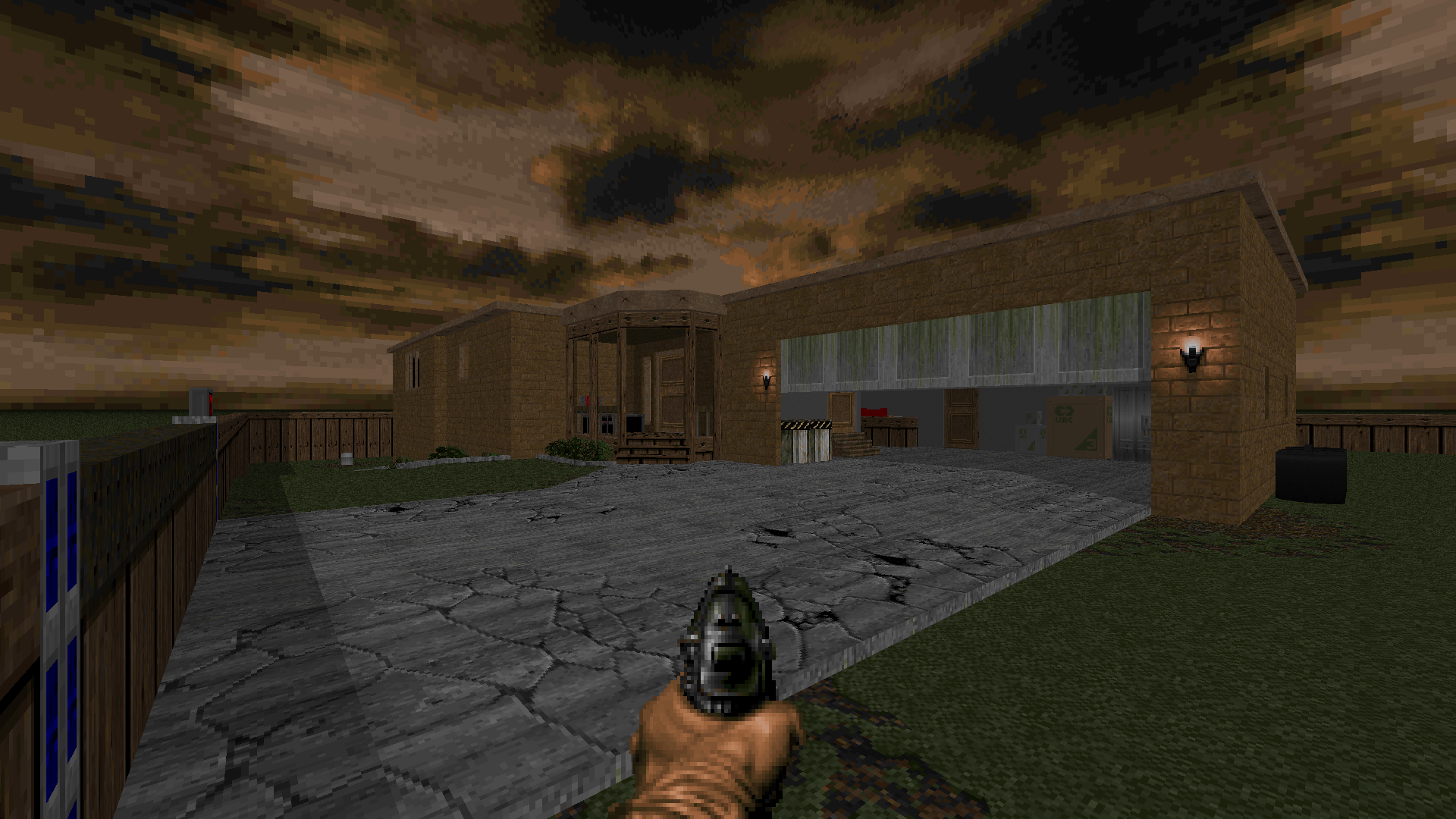
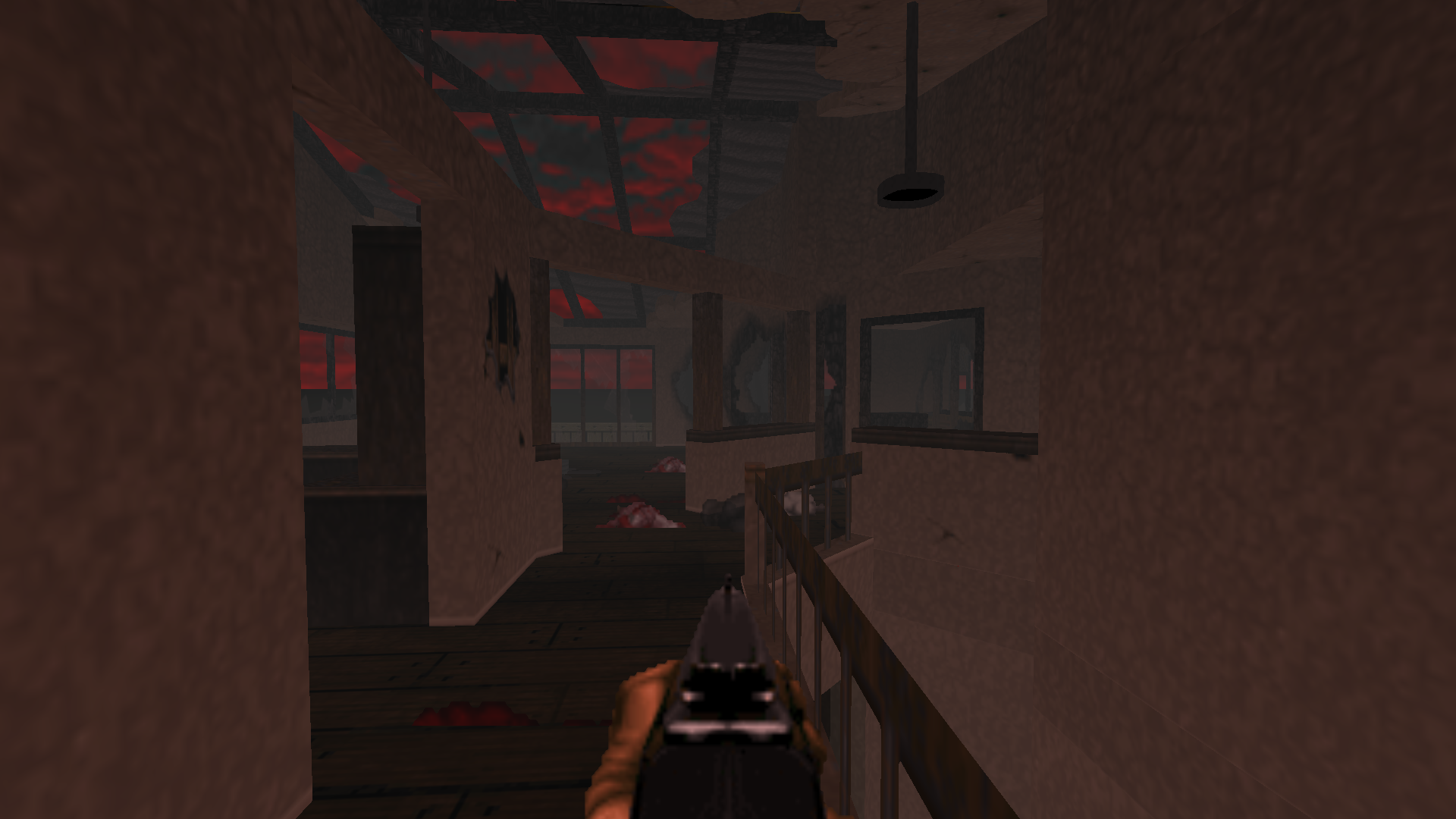
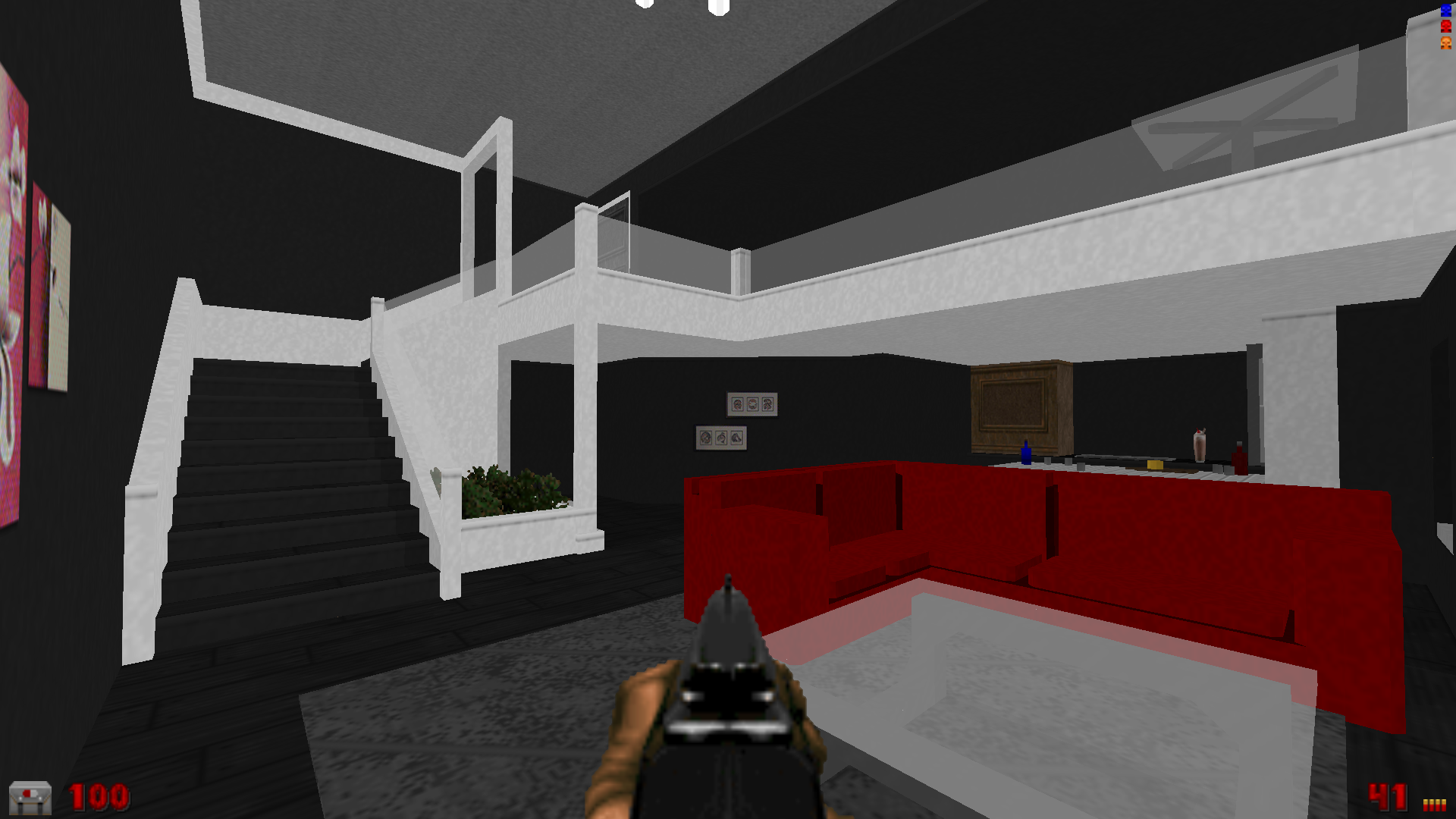
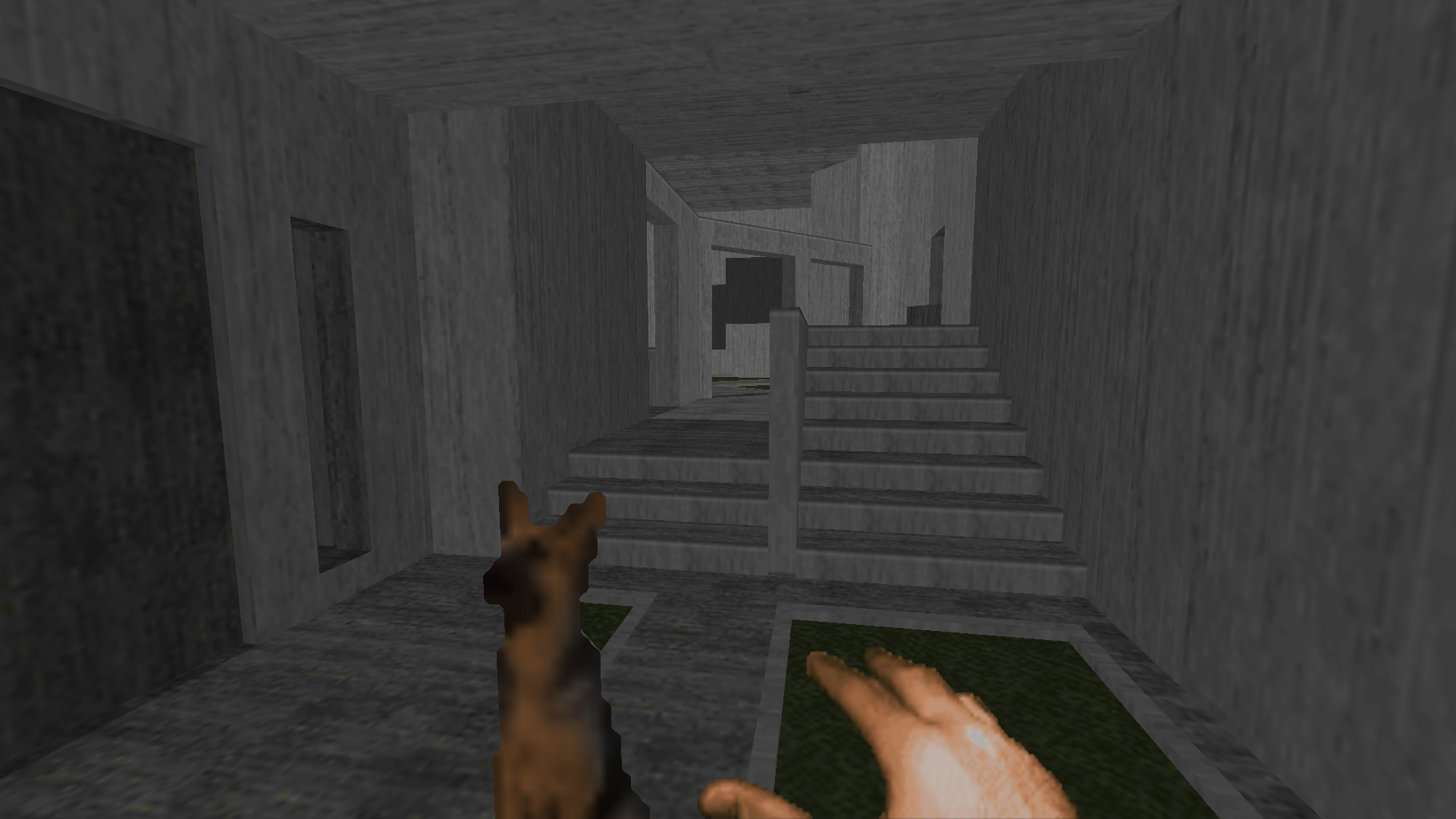
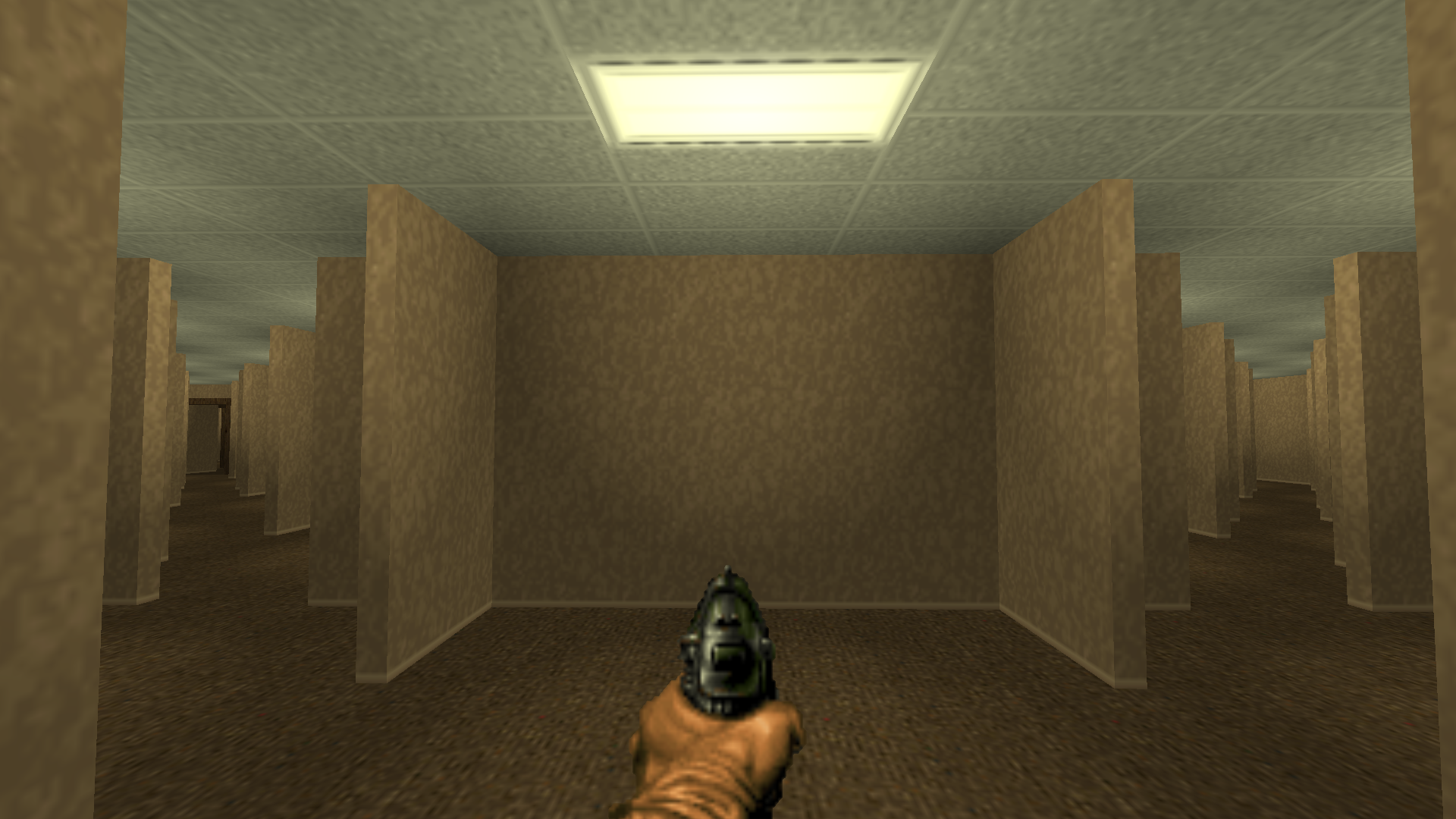
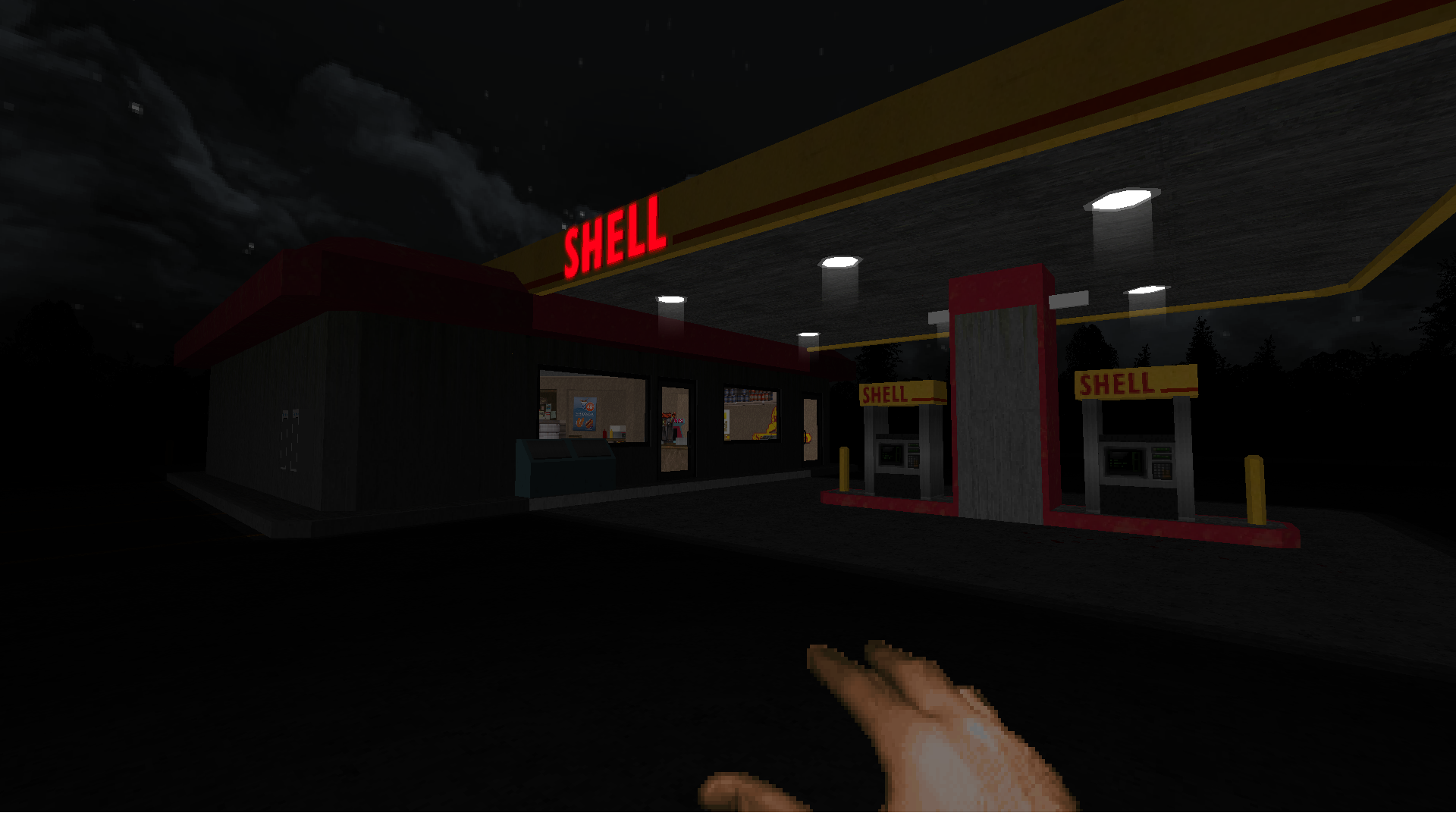
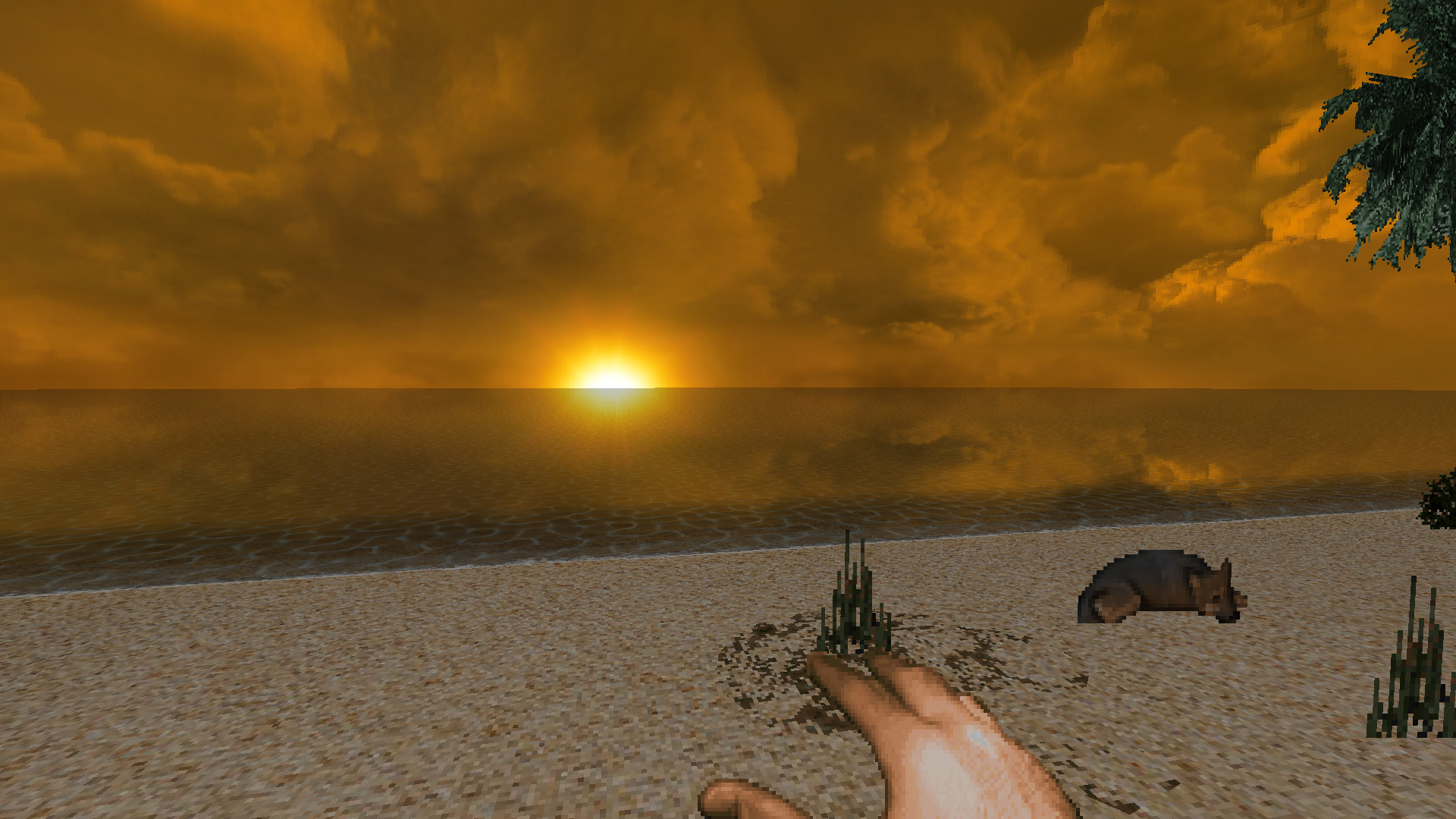
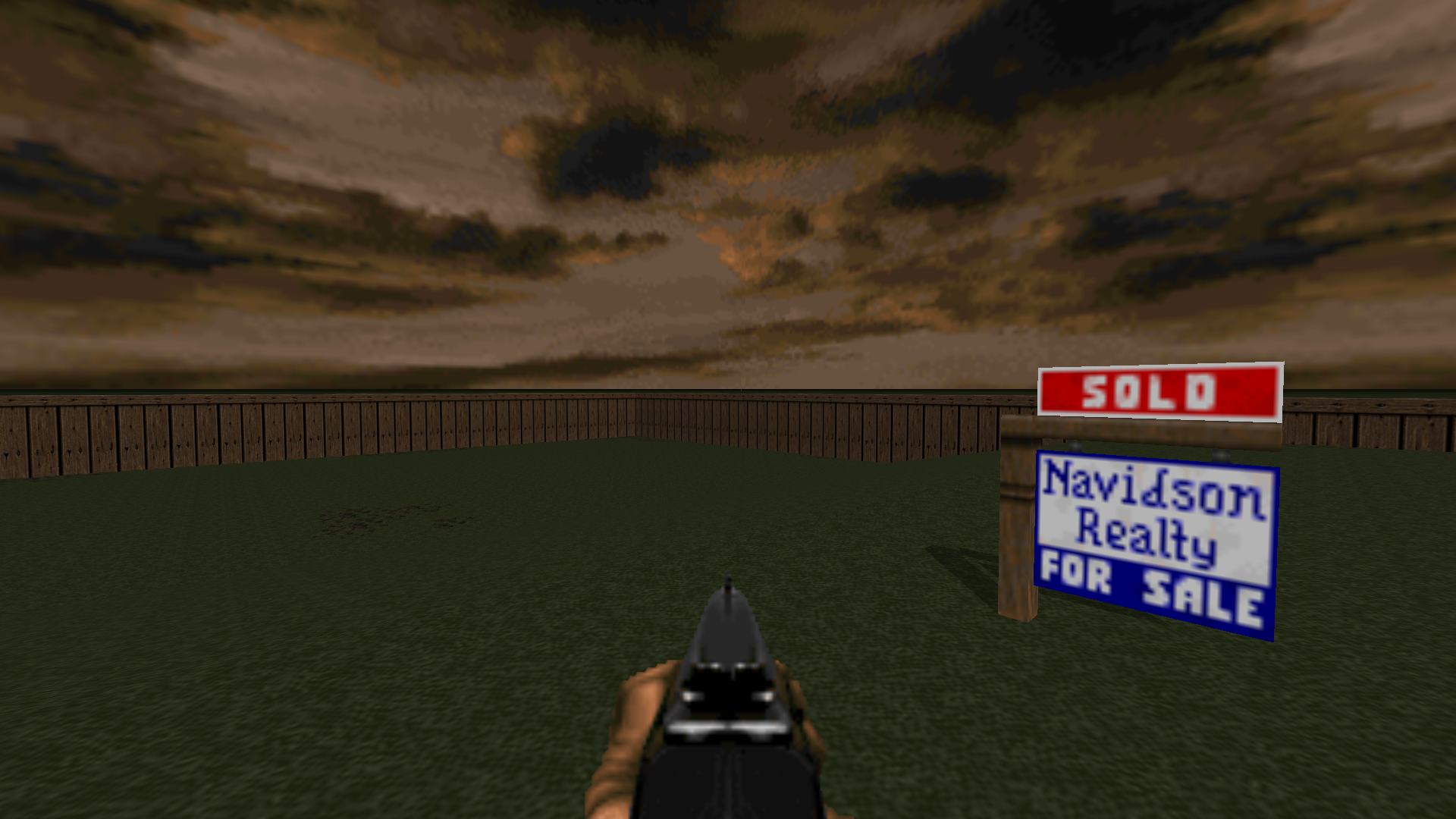
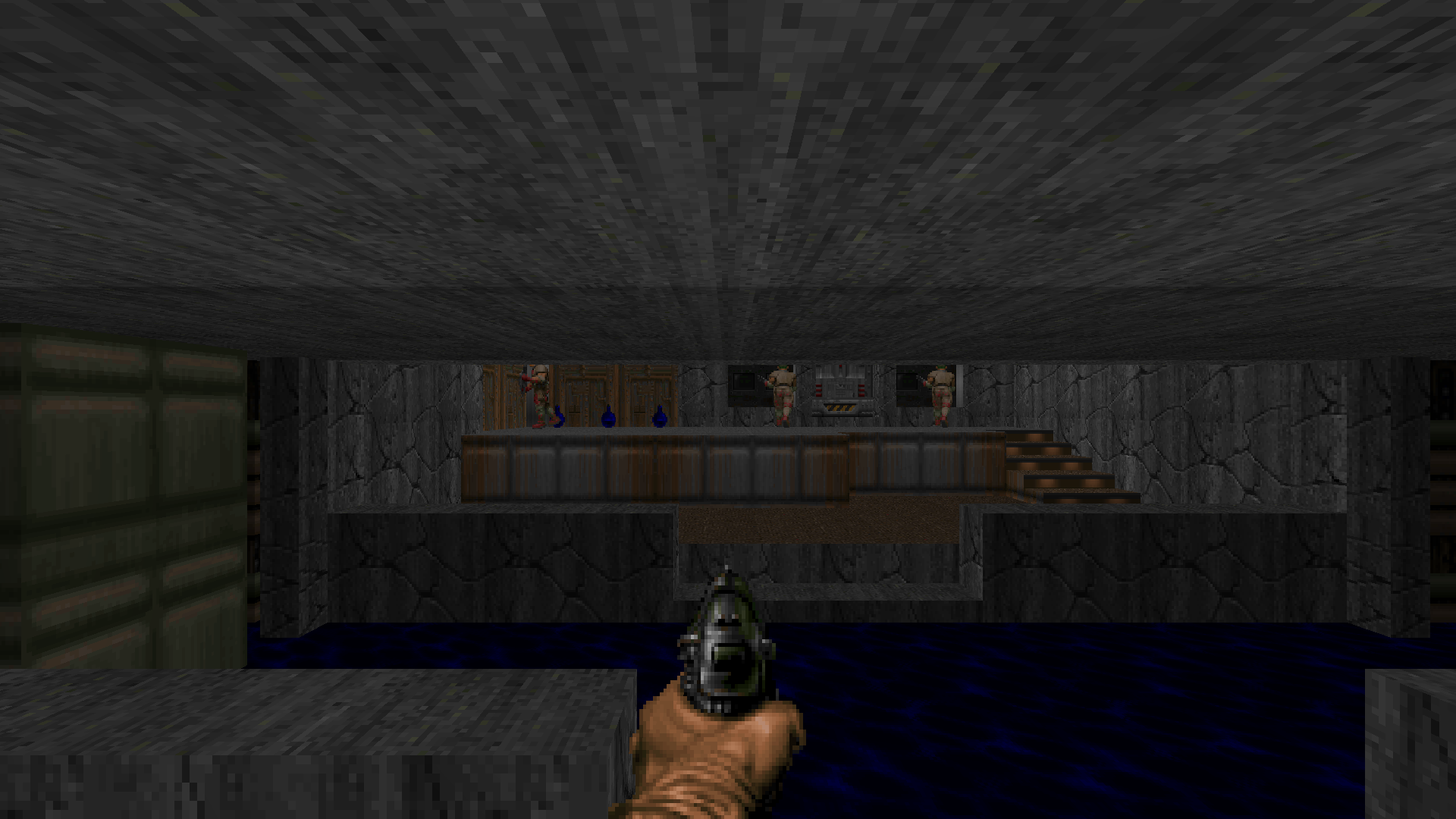
I warped around a lot just to see what each place was, and discovered a lot of teleport traps that would inevitably teleport you to the near-unescapable Backrooms. The creators most likely made a lot of traps like that to prevent people from genuinely trying to noclip out of bounds.
There were some parts that I was not entirely familiar with. There's almost an entire area dedicated to House of Leaves itself. I'm not particularly certain how to get to these places without warping, and even more uncertain of what their purpose in the game may even serve.
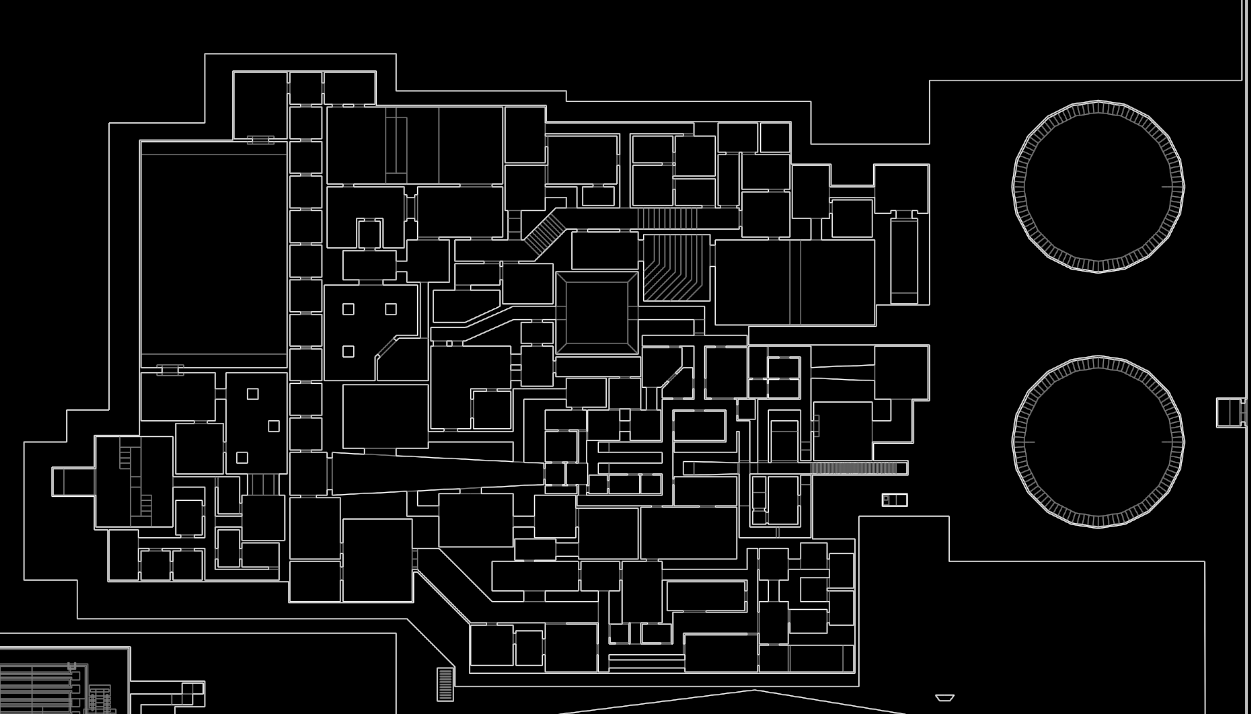
In House of Leaves, there is a circular staircase that is central to the plot that takes characters on a strange and dangerous journey. Perhaps this is what these two staircases are in reference to, but after warping around, I couldn't find them or if they even functioned at all.
A larger room with a staircase-like object sits to the right, with an even bigger empty space equally as dark.
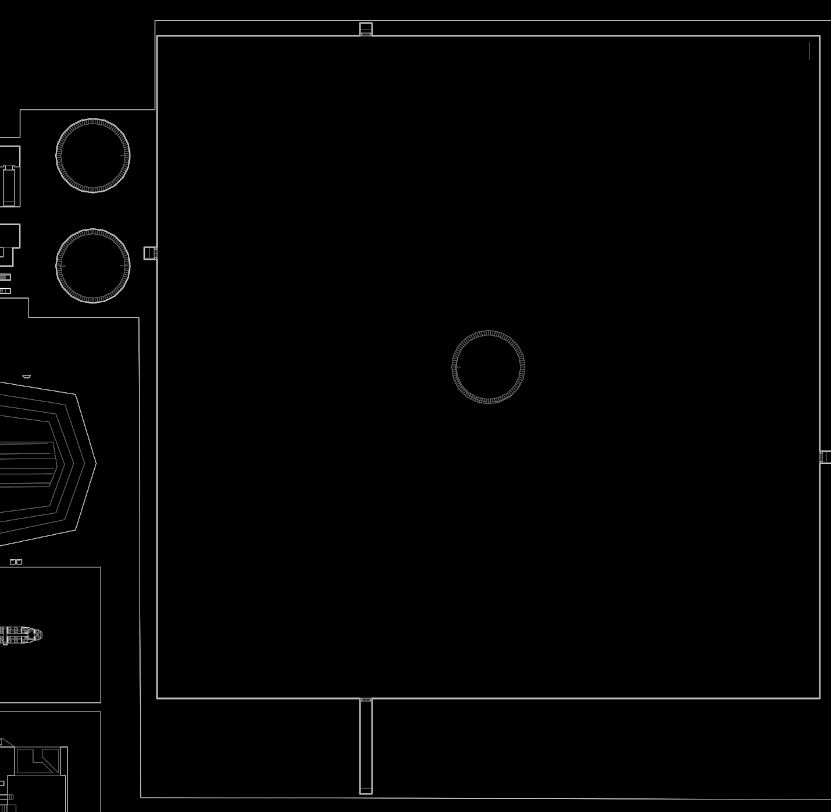
My memory of the video essay may be lacking, I'm certain the author covers this, but if I had to wager a guess, this was simply a nod to the source book itself, nothing more. It may be the closest thing we have to a House of Leaves video game, though.
The Portals
Now that I have geometry all mapped out from UDMF format, there begs the next question that bothered me: would it be possible to trace all the portals used in MyHouse.wad?
Portals are a mechanism used by ZDoom and other ports such as GZDoom to enable non-Euclidean geometric rendering. As the visuals are rendered, if one section is marked as a portal linking it from zone to another, the view will pass through to the connected area via the portal. Very much like how the game Portal works.
In order for portals to work, Linedef objects must be tagged with a special action tag called Line_SetPortal(). A Linedef carries more values than it's vertices, and can have a special tag and up to five argX tags to supply values to the function. In this case, arg0 on the Linedef is the target line it wants to treat as a portal. Time to edit ULinedef again.
#[derive(Debug)]
struct ULinedef {
    v1: usize,
    v2: usize,
    special: usize,
    arg0: i32,
    arg1: i32,
    arg2: i32,
    arg3: i32,
    arg4: i32,
    twosided: bool,
}
Each arg is treated as an i32 since some values can go negative, but the special value itself seems to be positive only. I update the scanning process to account for these new fields, but I won't bore you with six more if statements.
Since we already iterate over all the lines in the map, it would be simple to add another line as well that points to a target portal line if one is found. We simply check if the line has a special code of 156 (the numeric equivalent of Line_SetPortal()) and find it's matching line from arg0.
To draw portal links on the map, I figure it would be easy to simply draw from one line's vertex to the other. I felt it easier to draw from one set of vertices instead of calculating a middle point on both lines. As I iterate over all the lines, I check and see if they have the special tag match the code for Line_SetPortal(), and then draw another line to that target line. By putting lines into a HashMap instead of a Vec, it would hopefully speed up the access speed to find target lines.
if (linedef.special == 156) {
    if (linedef.arg0 != 0) {
        let index = linedef.arg0 as usize;
        let target_line = linedefs
            .get(&index)
            .expect("No matching line");
        let c = vertices
            .get(&target_line.v1)
            .expect("No matching vertex");

        buf.write(svg_line(linedef.v1.line_to(c)));
    }
}
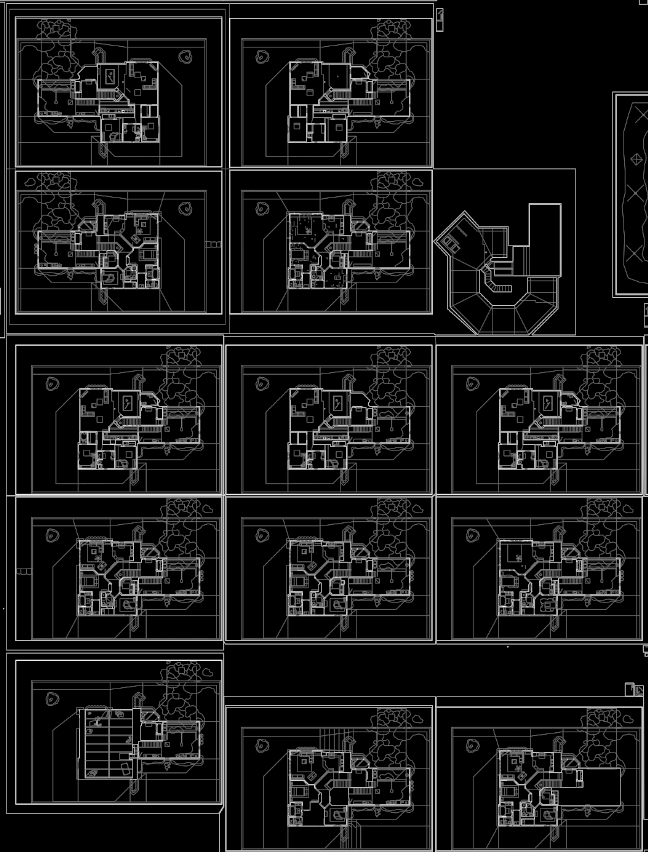
I kept track of how many portals were getting added, and we ended up with a little over 400 different portal lines in total. Wow!
The map is again, very big, so I will share it here. There are red lines going everywhere from the main house, and if it were higher quality, you would be able to trace every single portal line from it's source to the destination. The multiple variations of the house are used here to really showcase how window portals are used.
This doesn't really take into account the full story of the game. There is logic that goes beyond simple line portals. There can be logic bound to sectors in the game, by which if you stood on a particular sector, you might get warped to a completely different spot, and it's hard for me to automatically parse most of this exterior logic without writing a full-blown ACS parser.
The End
I don't quite know what compelled me to go down this route and do all this work. It felt satisfying towards the end. I had spent about a week total doing this digging, and it was fun to share it with my friends and enjoy MyHouse.wad from a different technical perspective.
I made a lot of mistakes along the way, and incidentally driving me House of Leaves crazy in turn. My biggest mistake is what I'll call off-by-twelve, where I spent far too much time trying to understand why I was off by twelve bytes during my read process.
When reading the TEXTMAP, I noticed that the last sector of the blob was short by about twelve bytes. It looked weird, but I actually dug into the GZDoom source code for how UDMF is parsed and read from TEXTMAP. How GZDoom reads TEXTMAP is nearly identical to my Rust version, but their structure for parsing differs from mine by a bit.
In C/C++, you typically will pass an empty struct into a function via pointer to mutate it. Then, once the struct is done being mutated, you store it somewhere and move on. In that same file you can see a function like ParseSector().
void ParseSector(sector_t *sec, int index)
{
    //...
The return type of ParseSector() is void, meaning no data is returned from the function. In reality, it should be a bool, to indicate whether the struct was completely read and mutated without issue. Because my TEXTMAP ended so briefly, that sector was disregarded, whereas with GZDoom, it would not be. Should GZDoom's parser find a random end of file, it would still read and store the incomplete struct it was working on.
However, the issue I soon realized is because my TEXTMAP was off by twelve bytes. The reason why is because I never correctly offset my memory range to account for the twelve bytes from the WadHeader from earlier.
// array of bytes with all data, including WadHeader
let data = &all_bytes;

// fixed array of data (HEADER_W=12)
let data = &all_bytes[HEADER_W..];
I failed to adjust my data range, and I only realized it by the time I was dumping the plain text from the SCRIPTS lump. I was scrolling through pages of GZDoom source code for a good few hours before I moved on and soon realized my own mistake. I had believed that MyHouse.wad might've actually been a broken WAD, which would make no sense considering it was made by a level editor. It drove me a little crazy to say the least.
That doesn't even take into account a problem I had with GZDoom. Since MyHouse.wad's release, the current version of GZDoom (v4.14) doesn't even work with MyHouse.wad anymore. In a GitHub issue ticket, v4.14 was a compatibility-breaking release, and MyHouse.wad would need to be updated for the future. Which, I think I can safely say, will not be happening anytime soon.
I went back through GZDoom releases and grabbed v4.10, which is (to me) the last working version of GZDoom I could grab. OpenGL or Vulkan issues aside, v4.10 gave me the least problems.
Today, days after the 2nd anniversary of MyHouse.wad, I wrap up my little research project here. If you haven't played MyHouse.wad, maybe give it a try. I think I spent enough time in MyHouse.wad, but it was a fun and at times addictive journey to learn more about the Doom format. Maybe one day with my map knowledge, I can create something even more interactive like a full WebGL explorative map of MyHouse.wad, or any WAD for that matter.
Thanks for making it all the way down here!